Showing posts with label c#. Show all posts

Thursday, January 10, 2008

Mole for Visual Studio


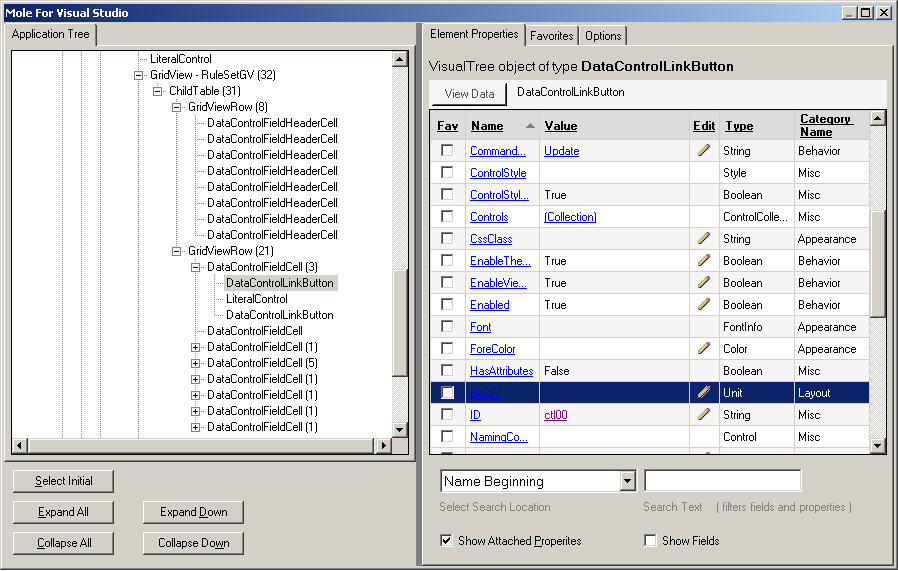
I came across a very useful tool called "Mole for Visual Studio" that allow you to visualize the data easily. The project that I am working right now has about 8 level deep in one ASP.NET page. It is hard to keep track of all the objects that created at different the levels. Mole for Visual Studio works like a charm.

Here is the link to the screenshot.

Monday, January 07, 2008

Enum Flags

The following code demostrates how to use enum type in c# as flags.

        [Flags]
        public enum  test
        {
            none = 0,
            a = 0x01,
            b = 0x02,
             c = 0x04,
            d = 0x08
        }
        static  void Main(string[] args)
        {
            test t =  test.none;
            Console.WriteLine(t);
 
            t = t |  test.a; //set bit a
            Console.WriteLine(t);
 
             if (t == test.a) 
                Console.WriteLine( "only bit a is set");
 
            t = t | test.b;  // set bit a
            Console.WriteLine(t);
 
             if ((t & test.a) != 0) //test to see if bit a is set
                 Console.WriteLine(" test bit a is set");
 
            Console .ReadKey();
        }

The implementation I was using is to use the BitArray which is very efficient. The good news is I implemented by using code generation which means I only need to modify the code generation templates and all my generated code will be benefiting. :)

Setting the timeout value when doing unit testing

It is actually quite easy to set the timeout for Microsoft Unit Test. It is shown as the following which set the timeout to 10 minutes:

[TestMethod]
[Timeout(600000)]
public void QuickSearchRegressionTestWithThread() {… }

Actually it the following link provides the comparison of all the fixtures of all the popular unit test suites for the .NET framework.